Download CFD simulation using FLOW-3D video course
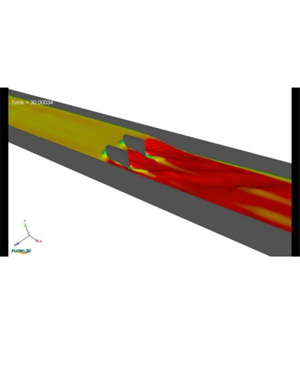
CFD simulation using FLOW-3D video course download, Mastering FLOW-3D: From Project Setup and Geometry Creation to Simulation, Result Export, and Animation.
Upon completing this course, you will achieve a comprehensive understanding and practical expertise in the following areas:
- Introduction to FLOW-3D: Students will gain a foundational understanding of FLOW-3D software, including its interface, core features, and applications in various fluid dynamics scenarios. They will be able to navigate the software with confidence and understand its capabilities and limitations.
- Project Setup and Geometry Creation: Learners will acquire the skills to efficiently set up new projects within FLOW-3D. They will learn how to create geometries from scratch and import existing geometries into the software. This includes understanding the formats supported by FLOW-3D and the steps required to ensure accurate geometry representation.
- Mesh Generation: Students will develop proficiency in generating meshes, a critical step in ensuring the accuracy of simulations. They will learn about different meshing techniques, how to optimize mesh quality, and how to troubleshoot common meshing issues. This knowledge will enable them to create effective computational grids for complex fluid dynamics problems.
- Boundary and Initial Conditions: Participants will understand how to define and apply boundary conditions and initial conditions to their simulations. They will learn the importance of these conditions in influencing simulation outcomes and will be able to set them up correctly to model real-world scenarios accurately.
- Running Simulations, Exporting Results, and Creating Animations: Students will gain hands-on experience in running simulations and monitoring their progress. They will learn how to export simulation results for further analysis and interpretation. Additionally, they will acquire the skills to create animations from their results, enhancing their ability to visualize and communicate the findings of their simulations effectively.
Course content
- Introduction to FLOW-3D
- Project Setup (create workspace and add simulation)
- Create Geometry
- Import Geometry, Mesh Generation, Boundary Conditions, and Run Simulation
- Solving Problem part-I
- Solving Problem part-2
- Post Processing and Export Results
- Create Animation for the Results
Who this course is for
- Water Resources Engineers
- Civil Engineers
- Mechanic Engineers
- CFD Users
- Hobbyists and enthusiasts
- Environmental Engineers
- Hydraulic Engineers
Course details
- Video quality: MP4 | Video: h264, 1280 × 720
- Audio quality: Audio: AAC, 44.1 KHz, 2 Ch
- Last updated 06/2024
- Video duration: 1h 11m
- Number of lessons: 1 sections, 8 lectures
- Language: Language: English
- Compressed file size: 640 MB