
Download COMSOL Multiphysics for Engineers: Full Workflow & Projects 2025
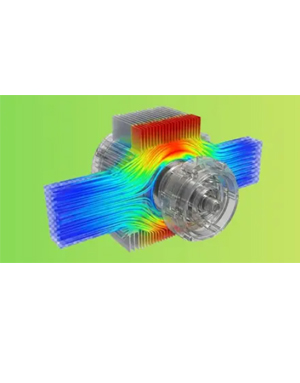
COMSOL Multiphysics for Engineers: Full Workflow & Projects video course download, Learn the full COMSOL workflow with hands-on projects across structural, thermal, CFD, and multiphysics applications. Master the complete workflow of COMSOL Multiphysics, one of the most powerful engineering simulation tools used in industry and research. This course takes you from the basics to practical project-level simulations, helping you build real confidence in modeling physics-based problems.
What You’ll Learn
- Build complete COMSOL Multiphysics models — from geometry creation to physics setup, meshing, solving, and post-processing.
- Work confidently with multiple COMSOL modules, including Structural Mechanics, Heat Transfer, CFD, MEMS, Pipe Flow, and AC/DC.
- Apply materials, parameters, boundary conditions, and studies to simulate real engineering problems accurately.
- Interpret simulation results using plots, visualizations, and data extraction to make meaningful engineering decisions.
- Use COMSOL’s CAD tools to create and modify 2D/3D geometries for project-level
- simulations. Improve workflow efficiency with AI/ChatGPT assistance, including p
Complete real mini-projects that strengthen practical skills for research, academic work, and industry applications.
Course content
- AC/DC Module
- CFD Module
- Heat Transfer Module
- MEMS Module
- Pipe Flow Module
- Structural Mechanics Module
- Changing the COMSOL Desktop Layout
- Printing from the COMSOL Desktop
- The Main Menu and Toolbar
- The Model Wizard
- Basic Steps to Build a Model
- Sequencing in COMSOL Multiphysics using ChatGPT
- Global Definitions
- Local Definitions
- Building Expressions
- Operators, Functions, and Variables Reference
- Global Parameters
- Loading Parameters from a Text File using ChatGPT
- Working with Geometry
- The Graphics Toolbar Buttons
- LJsing the Selection List Window
- Lighting, Transparency, and Wireframe Rendering
- Hiding and Showing Geometric Entities
- User-Defined Selections with ChatGPT
Course details
- Video quality: MP4 | Video: h264, 1280 × 720
- Audio quality: Audio: AAC, 44.1 KHz, 2 Ch
- Last updated 12/2025
- Video duration: 2h 50m
- Number of lessons: 4 sections, 24 lectures
- Language: Language: English
- Compressed file size: 1.41 GB