
Download SingleCrystal 5.2.0.300 + Crack
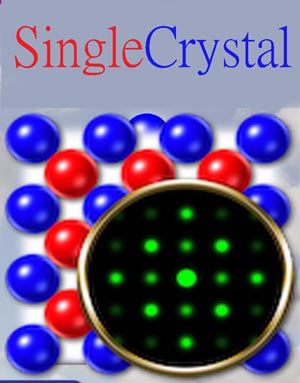
SingleCrystal 5 software full crack download from CrystalMaker and SingleCrystal is the easiest way to visualize and understand diffraction and morphological properties of crystals. SingleCrystal lets you simulate multi-phase X-ray, neutron and electron diffraction patterns, display reciprocal lattices (in 2D or 3D), visualize Brillouin zones and construct stereographic projections of planes or vectors. By combining a simulated pattern with an observed diffraction image, you can auto-index the pattern and determine the orientation of your crystal.
Crystal Shapes
SingleCrystal lets you build crystal shapes quickly and easily. Just enter one or more faces and let SingleCrystal calculate their symmetry-relations. Click-and-drag slider controls to set the face positions (“Wulff Construction”) then you can measure interfacial angles or vertex relationships.
Stereographic Projections
To help you navigate through diffraction space, you can take advantage of a live stereographic projection (“stereogram”) which can be displayed full size, or in miniature, as an orientation guide. The stereogram shows the angular positions of plane normals or lattice vectors (zone axes) plotted as poles and optionally as great- or small-circle traces.
Fourier Transforms
You can instantly generate a Fourier Transform from any displayed image or diffraction pattern. Alternatively, you can show an interactive Fourier Transform view as you work.
Simulate Diffraction From a Single Crystal
SingleCrystal provides real-time, interactive simulation of key single-crystal diffraction techniques in gorgeous high-DPI graphics. Diffraction geometries include Transmission Electron Microscope (TEM) – with optional Kikuchi Lines – plus Precession, Laue (Front-Plate, Rear-Plate or Cylindrical geometries), in addition to standard or weighted Reciprocal Lattice Sections (at user-specified heights).
Live Diffraction
SingleCrystal 5 is designed to work with CrystalMaker 11, reading from saved crystal files to simulate diffraction properties. The two programs can be linked, letting you view a crystal structure in one window, and its diffraction pattern in another. With CrystalMaker’s “Live Rotation Mode” enabled, rotating the crystal causes its diffraction pattern to rotate – and vice versa.
Multi-Phase Diffraction
Multi-phase diffraction is as simple as adding a new crystal or observed diffraction image to your window. Individual patterns can be rotated or moved relative to each other, toggled “on” or “off”, duplicated (to allow “before” and “after” editing comparisons) or copied to other windows. It’s a great way of understanding twinning and topotactic relationships.
Reciprocal Lattices & Brillouin Zones
You can visualize weighted reciprocal lattices in 3D, with your reciprocal lattice points sized and/or coloured by intensity. Add reciprocal lattice planes, vectors and cones (representing small circles about a given reciprocal lattice vector). Use the sophisticated depth fading controls to visualize slabs of reciprocal space. Plus, use the Arrow tool to measure individual reciprocal lattice points or distances between groups of reciprocal lattice points in 3D.
Interactive Manipulation & Measurement
Diffraction patterns can be rotated and scaled in real time, by clicking-and-dragging with the mouse, using multi-touch gestures on your trackpad or touch-screen, using the scroll-wheel, toolbar tilt controls, Touch Bar rotation dials (Mac), or the keyboard.
Auto-Index Observed Patterns
Simulated patterns can be superimposed above observed patterns, for direct comparison. With the Grid tool, auto-indexing is a breeze: just click the Auto Fit button and the Grid instantly snaps into place, over your observed pattern.
SingleCrystal 5 software details:
- Operating system: Windows 10, 11 x86-x64
- File Size: 80 MB
- Crack: Full Crack (Unlimited PC)


